
M618 Wireless Vertical Mouse with 3D5K Layout: Ergonomic Design for Natural Wrist Posture and Reduced Strain, Features a 115g Weight and 135.5mm Contoured Body
White
£39.98
Skip to product information

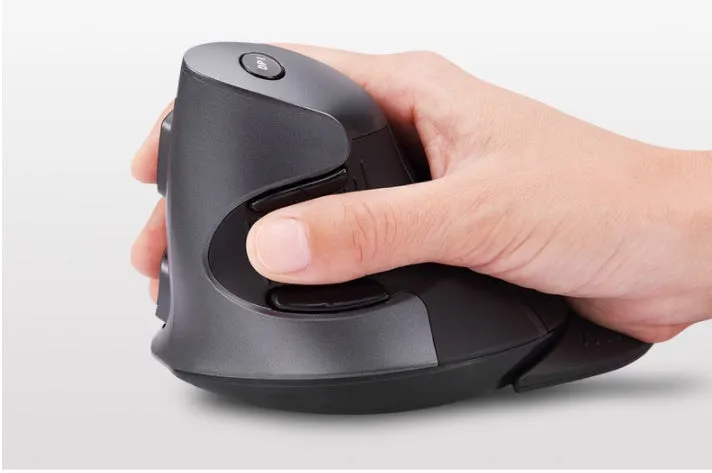
 The M618 wireless vertical mouse tackles the common issue of wrist discomfort from traditional flat mice. By orienting your hand at a 57-degree angle, it mimics a relaxed handshake position, which can alleviate pressure on the carpal tunnel and forearm muscles. This specific design is backed by the mouse's contoured dimensions of 135.5mm by 100.0mm, providing substantial palm support. With a stable weight of 115 grams and a low-power 5V wireless connection, it offers a practical solution for reducing strain during long hours of data entry, graphic design, or general computing, without sacrificing reliable performance.
 This section details the specific construction and technical specifications that define the M618's performance and user experience. From its material choice to its power management, each element is designed to support comfortable, long-term use.


M618 Wireless Vertical Mouse with 3D5K Layout: Ergonomic Design for Natural Wrist Posture and Reduced Strain, Features a 115g Weight and 135.5mm Contoured Body
£39.98
M618 Wireless Vertical Mouse: Ergonomic Design for a Natural 57-Degree Hand Posture
Features and Build Quality of the Vertical Mouse
Ergonomic Design and Contoured Shape
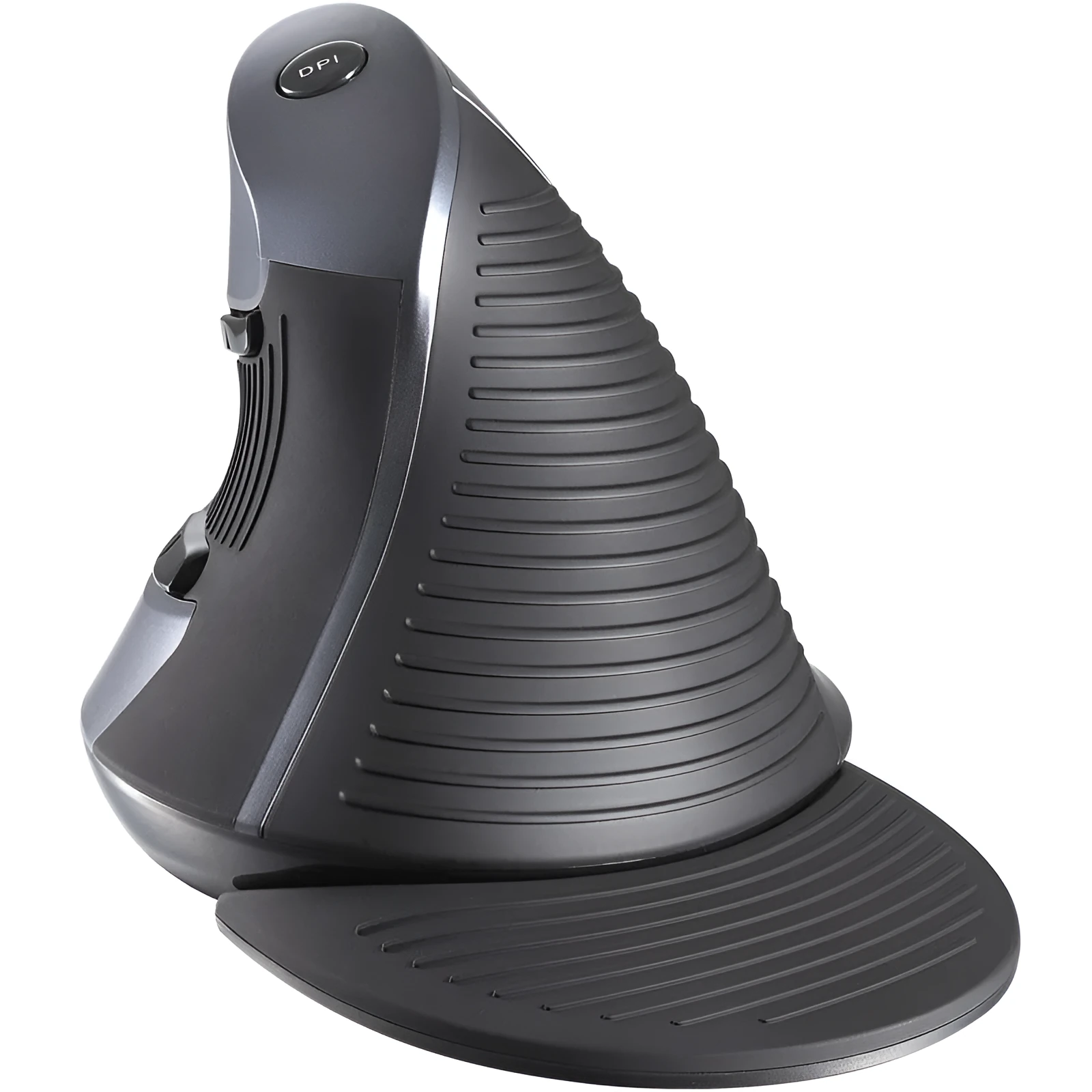
The core of the M618's design is its pronounced vertical orientation, which sets it apart from standard mice. The body is shaped to measure 135.5mm in length, 100.0mm in width, and 87.0mm in height, creating a rounded form that cradles the hand. This contour encourages the forearm to rest in a neutral, upright position, reducing the inward rotation that often leads to wrist fatigue. The shape is not merely aesthetic; it is a functional response to ergonomic principles aimed at improving comfort during repetitive mouse movements.Technical Specifications and Performance
Operating on a 5-volt system, the mouse draws a working current of 50mA for active use, dropping to a 16mA standby current to conserve power. It connects via a plug-and-play USB receiver, eliminating cable drag. The button layout is defined as 3D5K, which includes five programmable buttons alongside the standard left/right click and a scroll wheel. A dedicated DPI switch allows users to adjust cursor sensitivity instantly, providing flexibility for different tasks, from detailed editing to navigating large spreadsheets.Material Construction and Durability
Practical Applications for the Ergonomic Mouse Understanding how this mouse fits into different routines highlights its versatility. Its design benefits anyone who spends significant time at a computer, from professionals to students managing their coursework.Professional and Office Use
For office workers, IT professionals, and graphic designers, the M618 addresses the cumulative strain of an eight-hour workday. The vertical angle helps prevent the onset of conditions like RSI or carpal tunnel syndrome by maintaining better wrist alignment. The 115g weight provides enough heft for steady control during precise tasks like CAD work or photo editing, while the programmable buttons can be set for common shortcuts like copy/paste or undo, streamlining workflow efficiency.Everyday Computing and Home Use
At home, the mouse transitions seamlessly from work to leisure. The contoured shape, a result of its 87.0mm height, offers a comfortable, filled feel in the palm that reduces the need to grip tightly. During long browsing sessions or gaming, the silk-screen finish on the ABS plastic provides a consistent, smooth touch that prevents slippage. The low 50mA power draw means less frequent battery changes, so it remains ready for an evening of managing finances, online shopping, or casual gaming without interruption.Versatility Across User Needs
Tangible Benefits of the Ergonomic Design The measurable advantages of this mouse translate into real-world value, from physical comfort to long-term reliability. These benefits justify its place as a considered upgrade from a standard mouse.Long-Term Value and Cost-Benefit
Investing in an ergonomic mouse like the M618 can be viewed as a preventative measure. By potentially reducing the risk of work-related musculoskeletal disorders, it may help avoid associated costs like medical appointments, physiotherapy, or lost productivity. The durable ABS construction and reliable wireless components suggest a product built to last, meaning you won't need to replace it as frequently as cheaper, less robust peripherals. Over several years of use, its initial cost is offset by its durability and the value of maintained comfort.User Experience and Satisfaction
Reason to Choose This Mouse</h3 If you experience wrist ache, tingling, or fatigue after using a computer, the M618 presents a direct solution. Its design is not based on vague claims of comfort but on the specific, measurable implementation of a 57-degree vertical angle and a 135.5mm contoured body. Choosing this mouse means selecting a tool that aligns with ergonomic research, built from durable ABS plastic with a precise 3D5K layout. It is a practical step towards a more comfortable computing setup, backed by clear specifications rather than marketing hyperbole.